
Guides
Pulse
Follow new launches through New, Finalizing and Migrated, with quick buys and filters for the markets you want to watch.

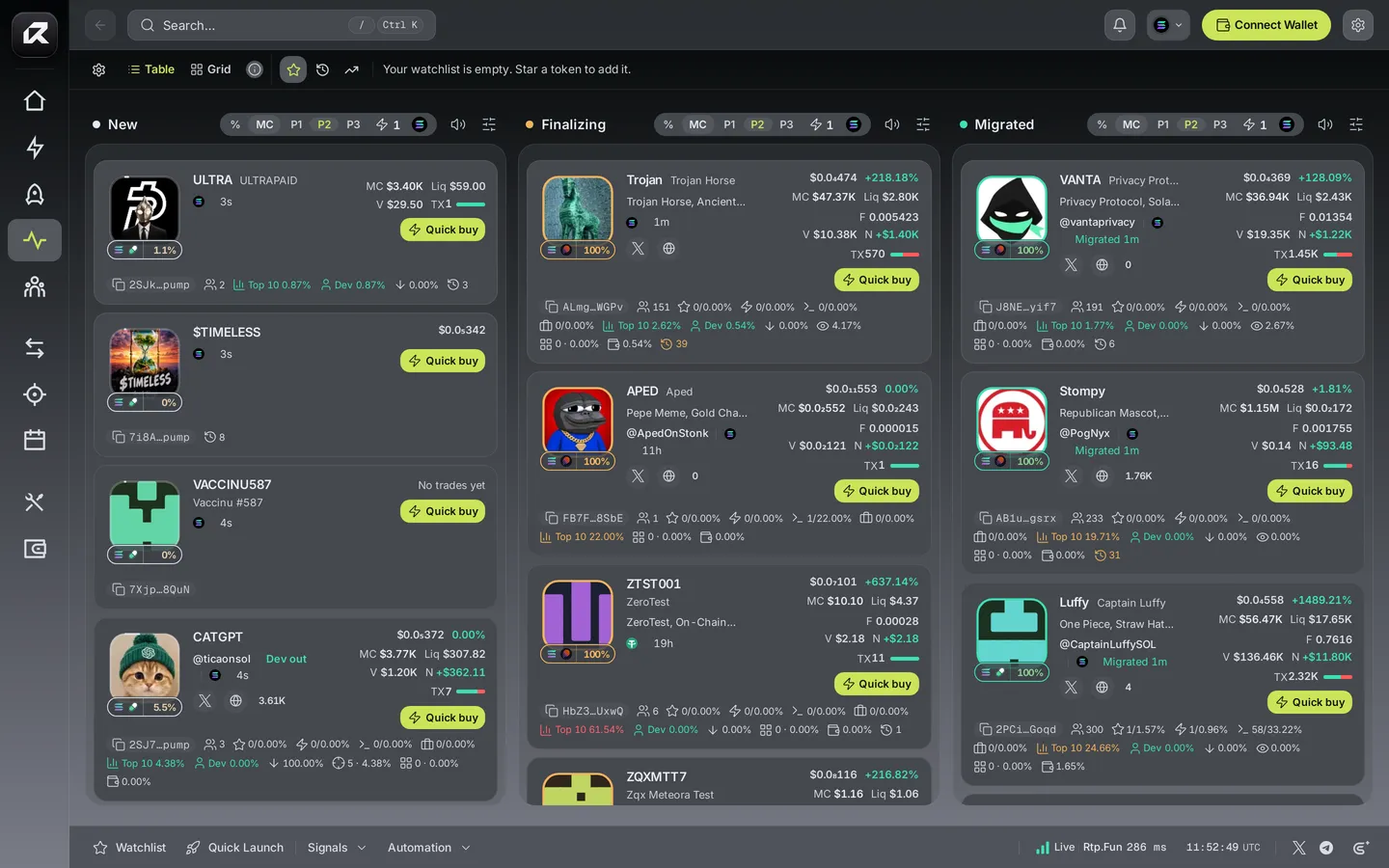
The three columns
Section titled “The three columns”| Column | What is in it |
|---|---|
| New | Coins created moments ago, newest first |
| Finalizing | Coins close to filling their curve and graduating |
| Migrated | Coins that just graduated to a public pool |
Each card shows the coin’s market cap, liquidity, volume, holders and how far along its curve it is. Switch between Table and Grid, and toggle a column between % of the curve and MC (market cap).
Buy in one tap
Section titled “Buy in one tap”Every column has its own buy settings: pick P1, P2 or P3 for the amount and the asset you spend, then use Quick buy on any card. The trade goes through the same review and Wallet as any other — see order settings.
Filters
Section titled “Filters”Filters narrows each column by launch platform, market metrics such as liquidity and volume, holder make-up (top 10, snipers, insiders, bundled wallets), developer history, and keywords to include or exclude.
Hide likely manipulated tokens is on by default. It hides a coin when its top 10 holders own 90% or more of the supply, its developer holds 50% or more, or it shows 30 or more buys with no sells at all — the usual marks of a rigged chart. It applies to every column.
Keep the board yours
Section titled “Keep the board yours”- Hide a token, or every coin from the same creator, on this device.
- Preview a card’s image to find other coins using the same picture.
- Star a token to keep it in your Watchlist.
- Turn a column’s sound on to hear new arrivals.
Related: Trade · Signals and Trackers · Rtp.Fun curves