
Guides
Tools and automation
Pay many wallets in one go, buy at a target price, snipe new launches and run volume — with limits you set, signed by your Wallet in your browser.

Tools does the repetitive work for you. Every tool runs from your own Wallet, inside limits you set, and every rule starts paused until you review it.
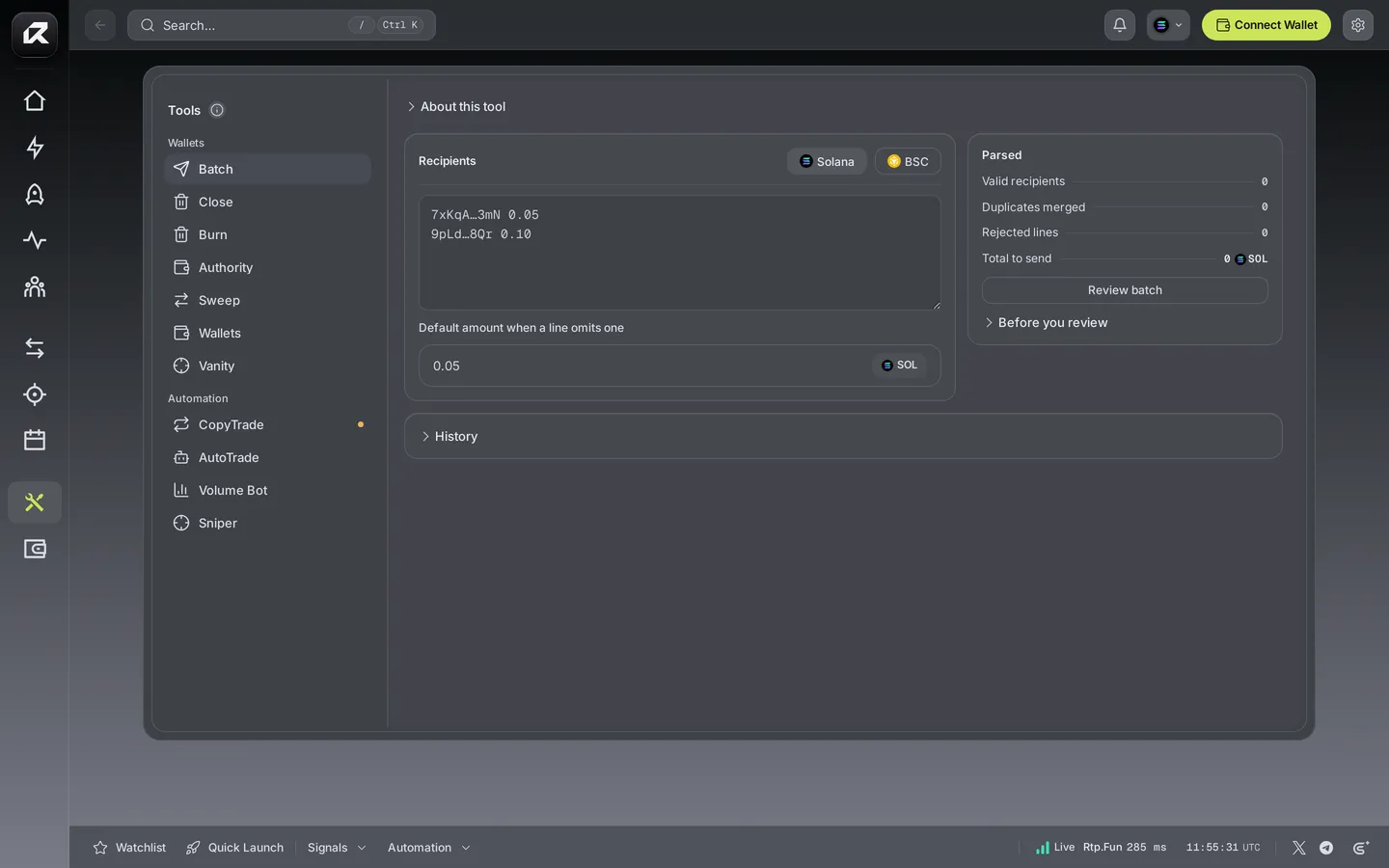
Batch send
Section titled “Batch send”Send to many wallets at once, on Solana or BNB Chain.
- Paste the recipients, one per line, each with an amount — or set a default amount for lines without one.
- Batch send checks every line: valid recipients, duplicates merged, lines it cannot use, and the total.
- Choose Review batch, check the list and the total, and confirm.
Past batches stay under History.
Automation
Section titled “Automation”Automation turns a plan into trades. You set the rule and its limits once; your Wallet signs each trade as the rule fires.
| Tool | Fires when | You set |
|---|---|---|
| AutoTrade | A token’s price reaches your target or lower | Token, buy amount, target price, cooldown |
| Sniper | A new coin appears on a Pulse column you watch, or a token reaches a price | Board or token, filters, buy amount, minimum liquidity, maximum age |
| Volume Bot | On a fixed interval | Token, buy size, interval, daily volume target, buy-to-sell cycle |
Every rule also carries the guard rails that keep it inside your budget: a per-trade limit, a daily limit, slippage, a maximum network fee and a maximum account rent. A rule never spends past them.
How a rule runs
Section titled “How a rule runs”- Create the rule and save it. It is saved paused.
- Review it and switch it on. Your Wallet authorizes it.
- While Rtp.Fun is open, the rule watches the market and your Wallet signs each trade as it fires. Every trade appears with its status and transaction.
Rules run in your browser, so your keys never leave your device to automate a trade. Keep Rtp.Fun open while a rule should run; closing the browser pauses it.
With a launch
Section titled “With a launch”Pick a saved Volume Bot preset in the launch form’s Tools and it starts on your new coin once the launch confirms — you approve it once more at that point. Presets are made here, under Tools.
Related: Trade · Launch a coin · Transaction status