
Guides
Signals and Trackers
Filter market observations, news, public posts and alliance calls, then inspect reported wallet and signal performance with its coverage limits.

Signals combines available market observations, news, public posts and alliance calls. Trackers organizes reported wallet and signal statistics. Both are discovery tools: a ranking, label or historical gain is not an endorsement or a forecast of your trading result.
Signals
Section titled “Signals”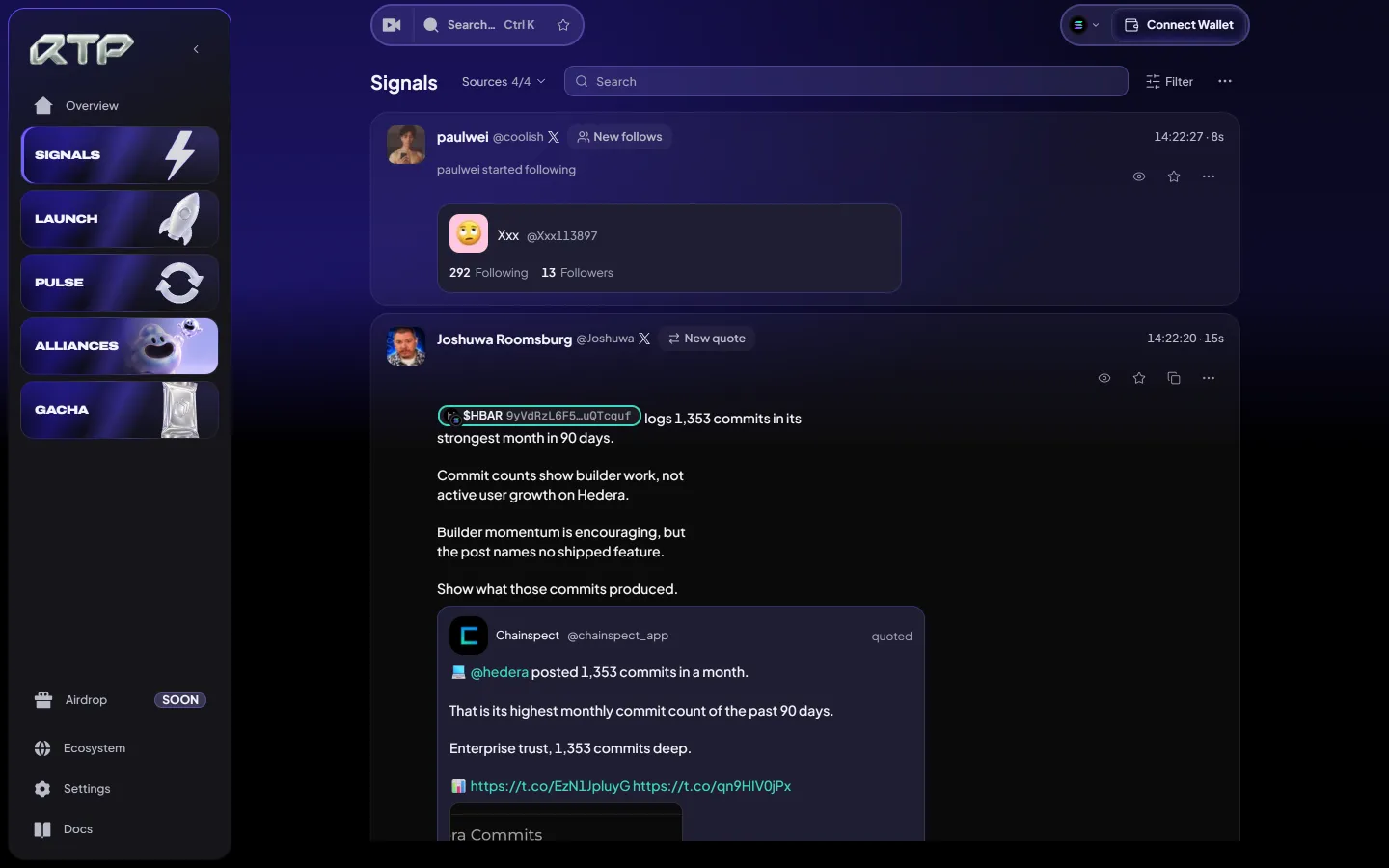
Sources chooses what the feed carries:
| Source | What it shows |
|---|---|
| Smart money | Reported buys and sells from selected tracked wallets |
| News | Available market news from the selected sources |
| X | Public posts from tracked accounts |
| Calls | Calls shared by the members of your alliances (signed in) |
More adds Saved (signals you bookmarked) and Chatter (public posts about the accounts, tokens and keywords on your radar, with Degen Mode for the fast lane), plus Quick buy and feed Settings. Filter narrows the feed by chain and token, and Search finds a word, account or address in it.
Each card shows who acted, when, and what it points at — the post, the account followed or the token bought — with its tools beside it: filter out the account, save the signal, copy the post link, and more. Open any card with a token to see its page, or use its quick buy button; the amount follows your P1 preset and is shown on the button. The Pocket keeps a compact feed beside any page you trade on.
Signal picks
Section titled “Signal picks”Signal picks are the tokens the most smart-money wallets bought in the last 30 minutes, at least three wallets each. They arrive as cards in a corner of the screen; tap one to open the token. Choose the corner, or turn them off, in Settings → Signal picks. On a phone the newest pick shows as a slim banner above the tab bar and folds into a small badge after a few seconds.
Trackers
Section titled “Trackers”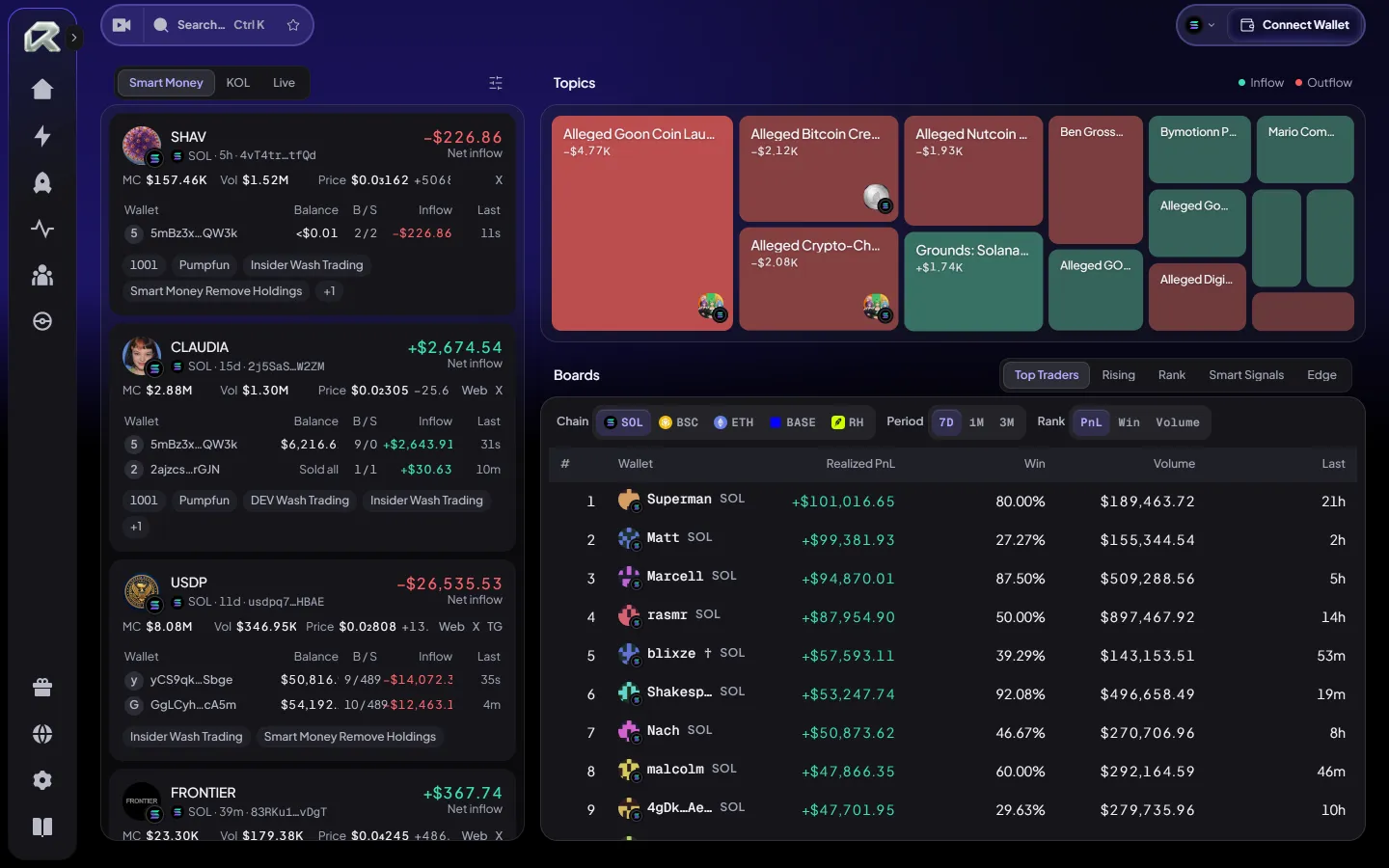
Trackers compares the recorded statistics available for its selected board and period. Read the period, source and missing-data notes before comparing entries.
| Board | Shows |
|---|---|
| Smart Money · KOL · Live | Available recent activity for selected wallets and public commentators |
| Top Traders | Wallets ranked by realized profit, win rate and volume |
| Rising | The narratives drawing the most new money in the last hour |
| Rank | The hottest meme tokens right now |
| Stocks / RWA | Activity in tokenised stocks and real-world assets |
| Smart Signals | Smart-money signals with the price at the signal and the best move since |
| Edge | Signal strategies and the record behind each one |
Filter by chain (Solana, BNB Chain, Ethereum, Base, Robinhood Chain) and period (7 days, 1 month, 3 months), and sort by realized PnL, win rate or volume.
How the numbers are counted
Section titled “How the numbers are counted”- Realized PnL counts closed trades only: what was sold, against what it cost.
- Win rate is the share of positions closed in profit.
- Max gain on a signal is the best price reached after the signal, against the price at the signal.
Trading statistics use the activity and prices available to the selected source; news, posts and calls are separate content sources. Missing history, delayed indexing, transfers and incomplete cost data can limit comparisons. A signal’s best observed move is not a realizable trade return, and reported PnL is not automatically net of all fees. An unavailable value must not be read as zero.