
Guides
Swap
Swap between SOL, ETH, BNB and the major stablecoins, on one chain or across supported chains, from your Wallet.

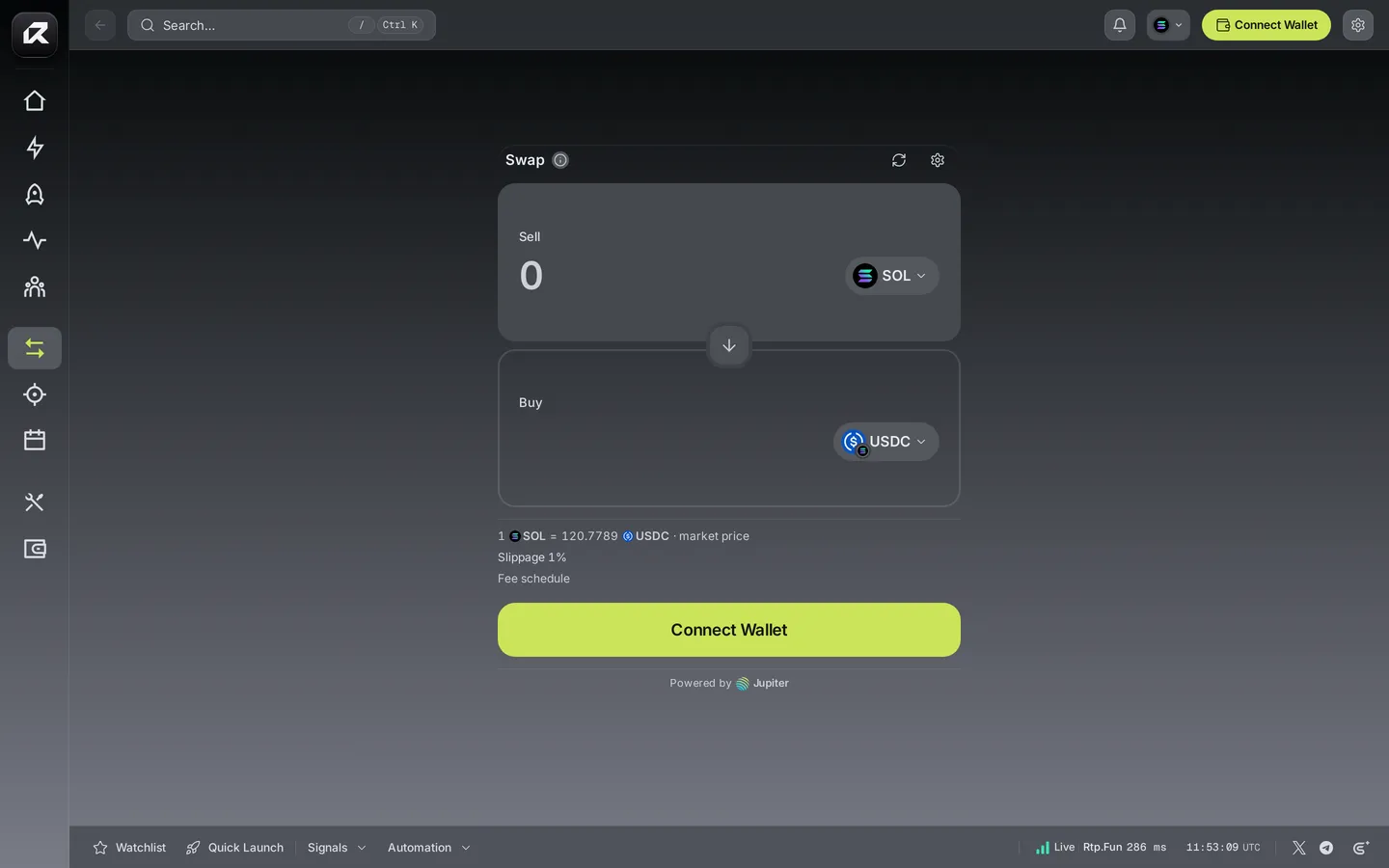
Make a swap
Section titled “Make a swap”- Pick the asset you sell and enter an amount, or tap 25%, 50%, 75% or Max.
- Pick the asset you receive. Use the arrow between the panels to flip them.
- Read the quote: the rate, the amount you receive and the fees.
- Confirm. Your Wallet signs and the swap is sent.
Across chains
Section titled “Across chains”Choose an asset on another chain — SOL to ETH, for example — and Swap routes it across for you. The receiving address is your Wallet’s address on that chain; you can enter another address you control instead. Cross-chain routes take longer than a same-chain swap; the quote shows what arrives and where.
Routing
Section titled “Routing”Same-chain swaps on Solana are routed through Jupiter for the best available price across Solana’s liquidity. Cross-chain swaps are routed through LI.FI. You always see the full quote before you sign.
Settings and fees
Section titled “Settings and fees”- Slippage sets how far the price may move before the swap is refused (1% by default).
- A swap carries the 0.35% swap fee, plus network fees. See Fees.
Related: Trade · Wallet · Supported networks